All Features
What the current release does, from script to delivery.
- 01
Script
Write it yourself, or let your agent draft it.
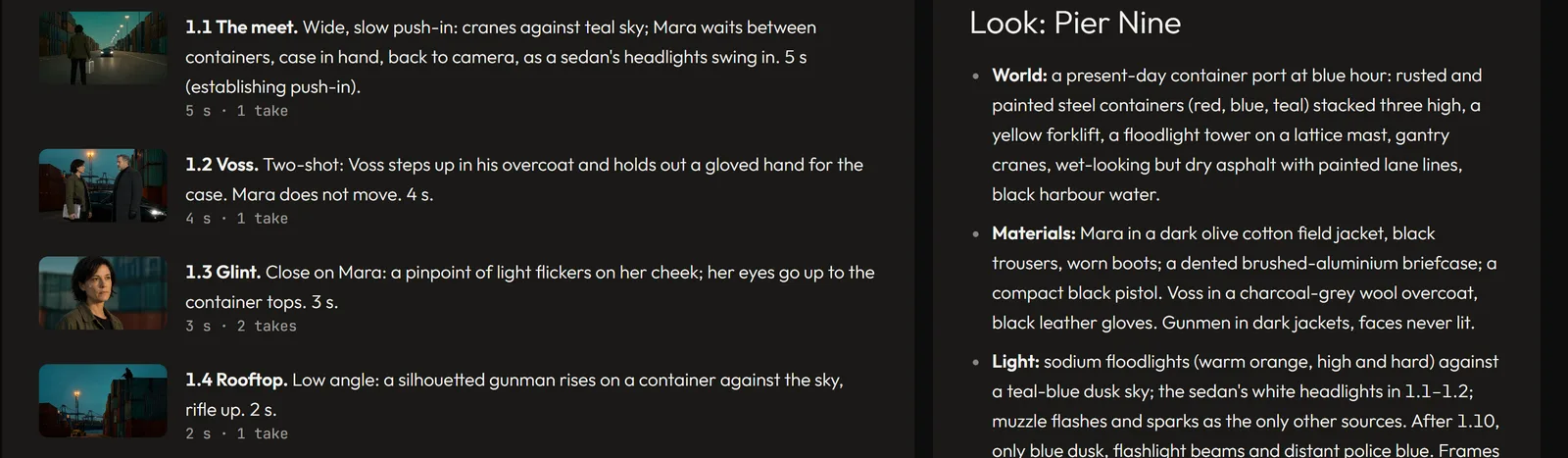
In the AppScript - Script and look on one page, each shot with its storyboard, length and takes
- Six style presets, from cinematic to anime
- 16:9 or 9:16
- The whole film on one board, exported as a PDF
- 02
Cast, Sets and Props
Reference sheets keep every face, place and object the same in every shot.
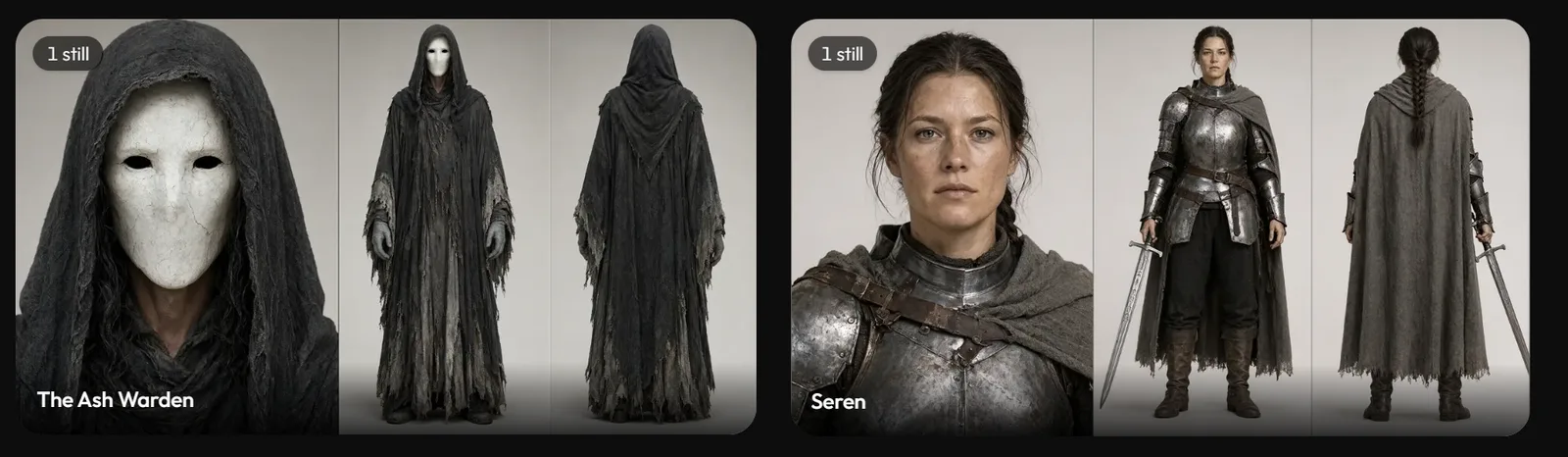
In the AppCharacters - Turnaround sheets for characters, sets and props
- Extra angles when a shot needs one
- Reuse a cast, its sets and its voices across a series
- 03
Shots and Takes
Storyboards first, then takes from the frames or from the cast's sheets.
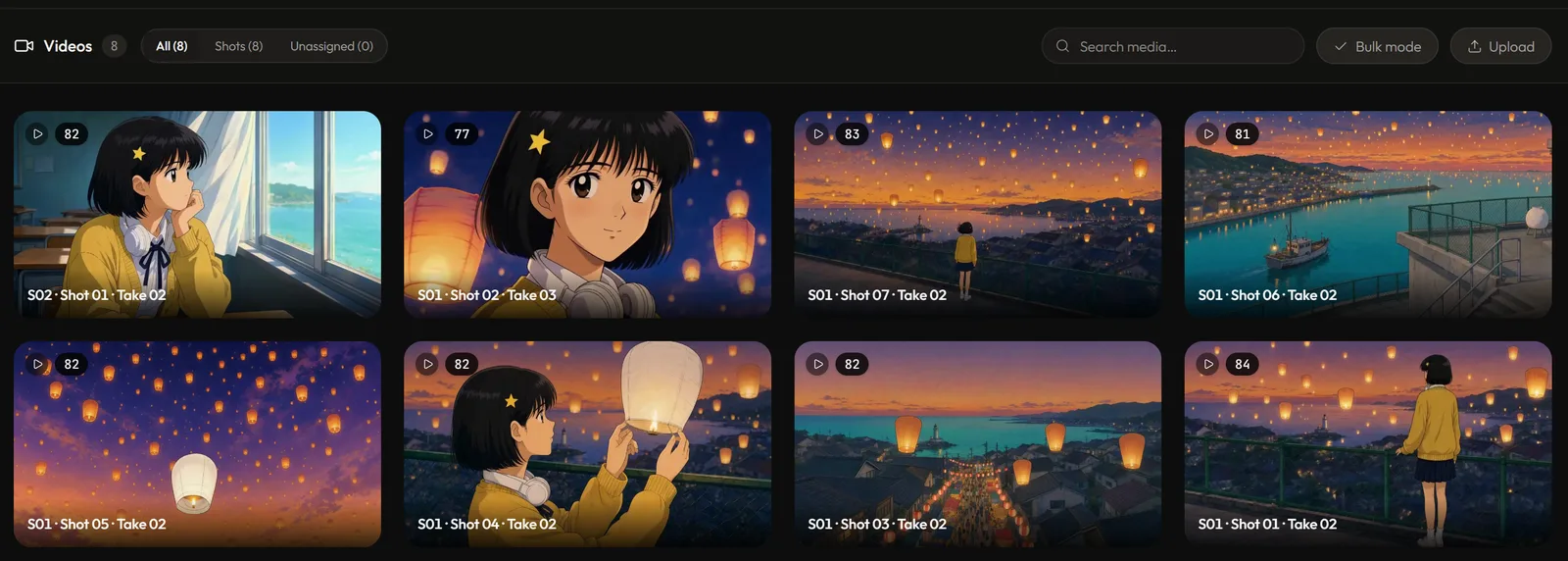
In the AppVideos, each take with its score - Opening and closing frames for each shot
- Takes of 2 to 15 seconds, with their own sound
- Every take scored for faithfulness, look and motion; weak ones reshot up to a limit
- Continue a shot from its last frame
- 04
Voices and Sound
Dialogue, narration, music and effects, timed to the picture.
In the AppAssembly › Audio - 50 stock voices, English and Chinese
- Design a voice from a description, or clone one
- Music with or without vocals; effects from a prompt or timed to a take
- Speech checked for missing, repeated or extra words
- Clean up a voice and split it from its background
- 05
The Cut
One timeline, from first assembly to final mix.
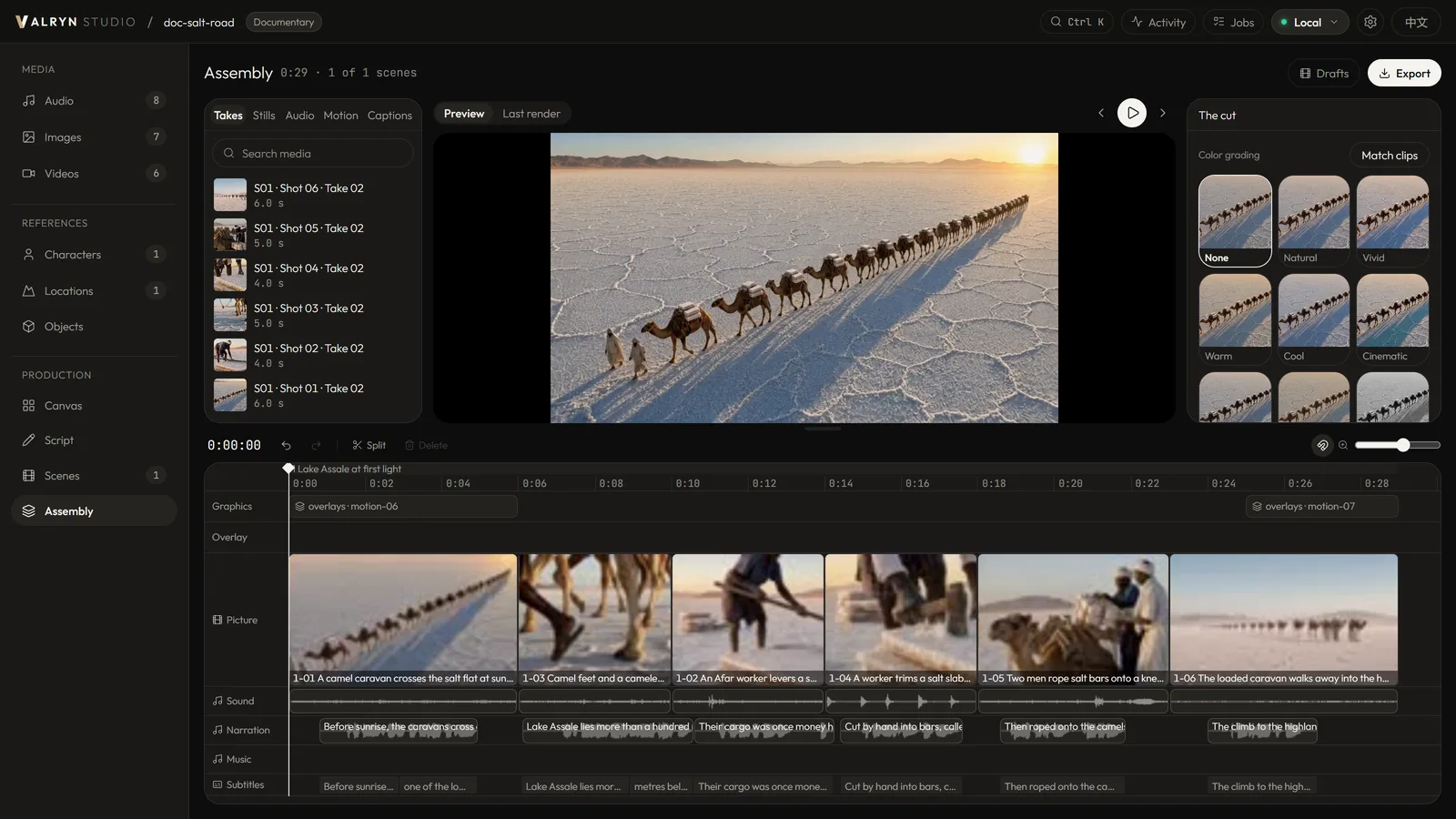
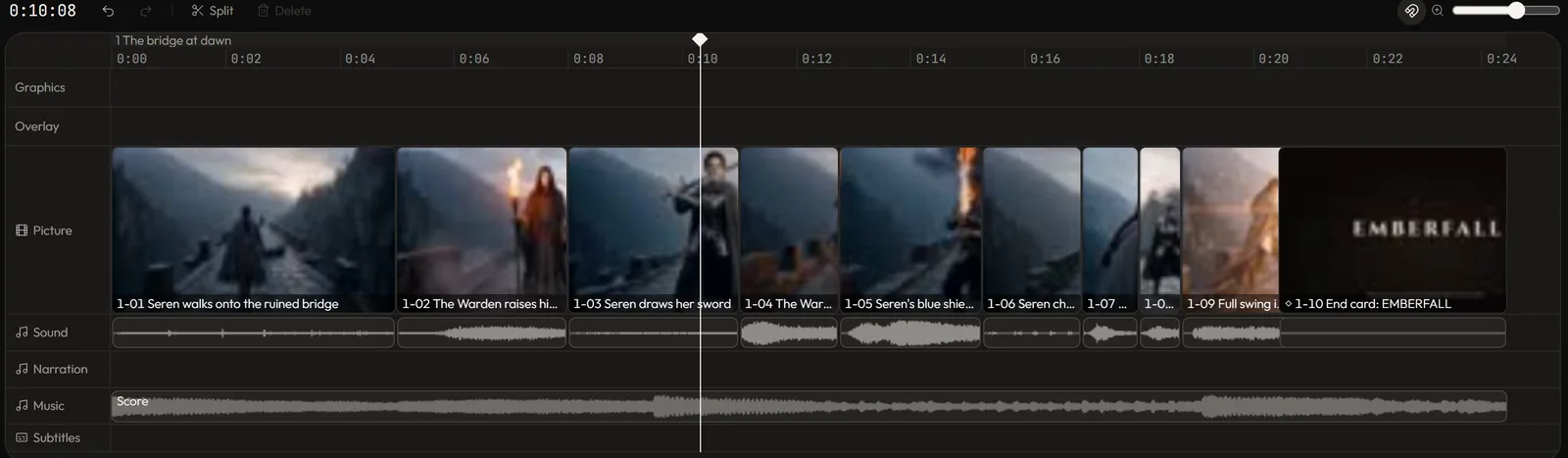
In the AppAssembly - Split, trim, ripple, speed changes and freeze frames
- Overlay and graphics tracks for cutouts, picture-in-picture and titles
- Cuts snapped to speech, with J and L cuts
- Music that ducks under speech; loudness for YouTube, web or broadcast
- 200 steps of undo
- 06
Subtitles and Languages
Subtitles from the cut, and one picture in up to eight languages.
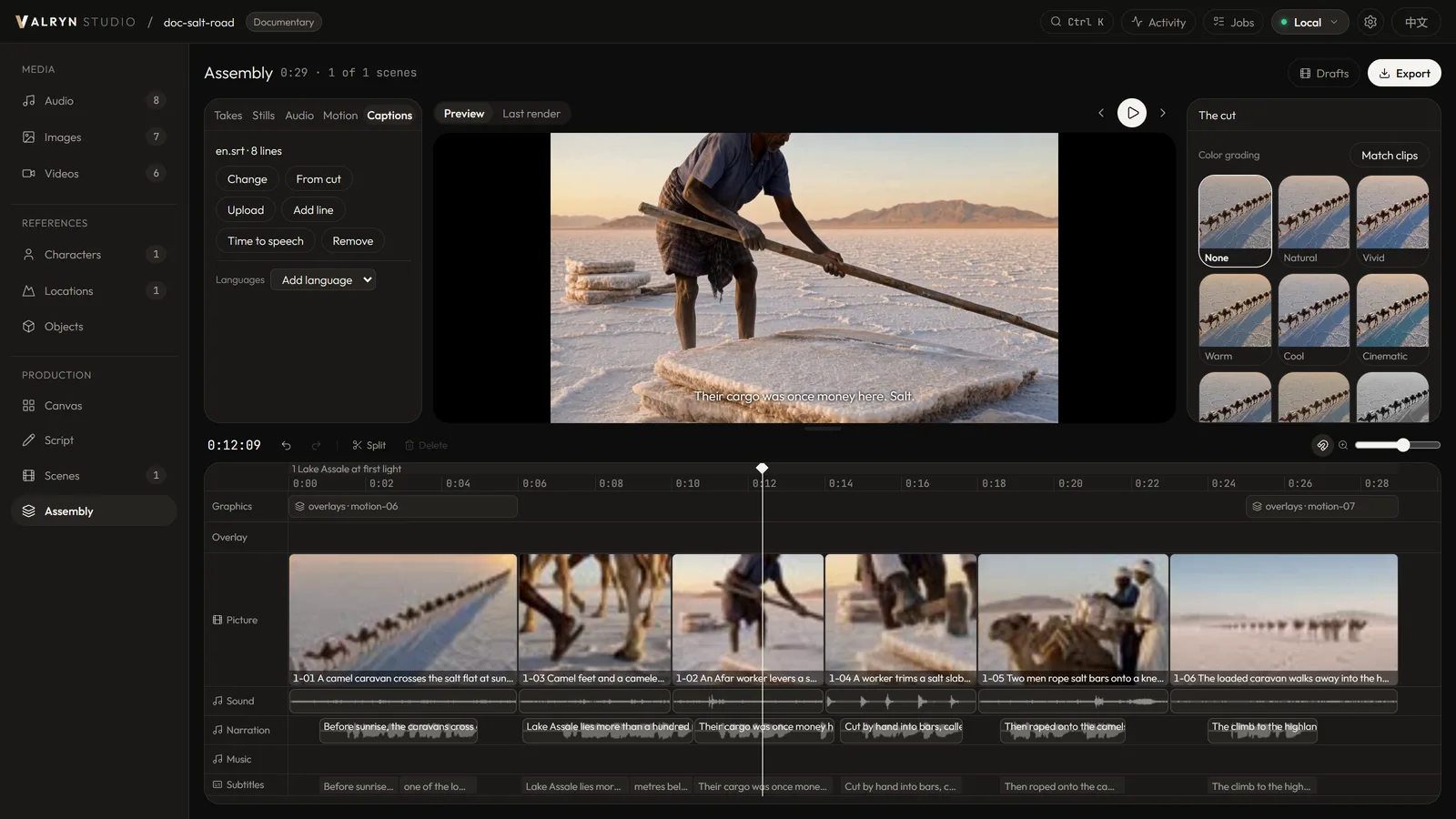
In the AppAssembly › Captions - Lines timed to the voices, edited one by one
- Burned in, as a soft track, or both
- Each language with its own narration, dialogue and subtitles
- One file per language, or one file with a track for each
- 07
Motion Graphics
Titles, lower thirds, maps and charts from a built-in catalog.
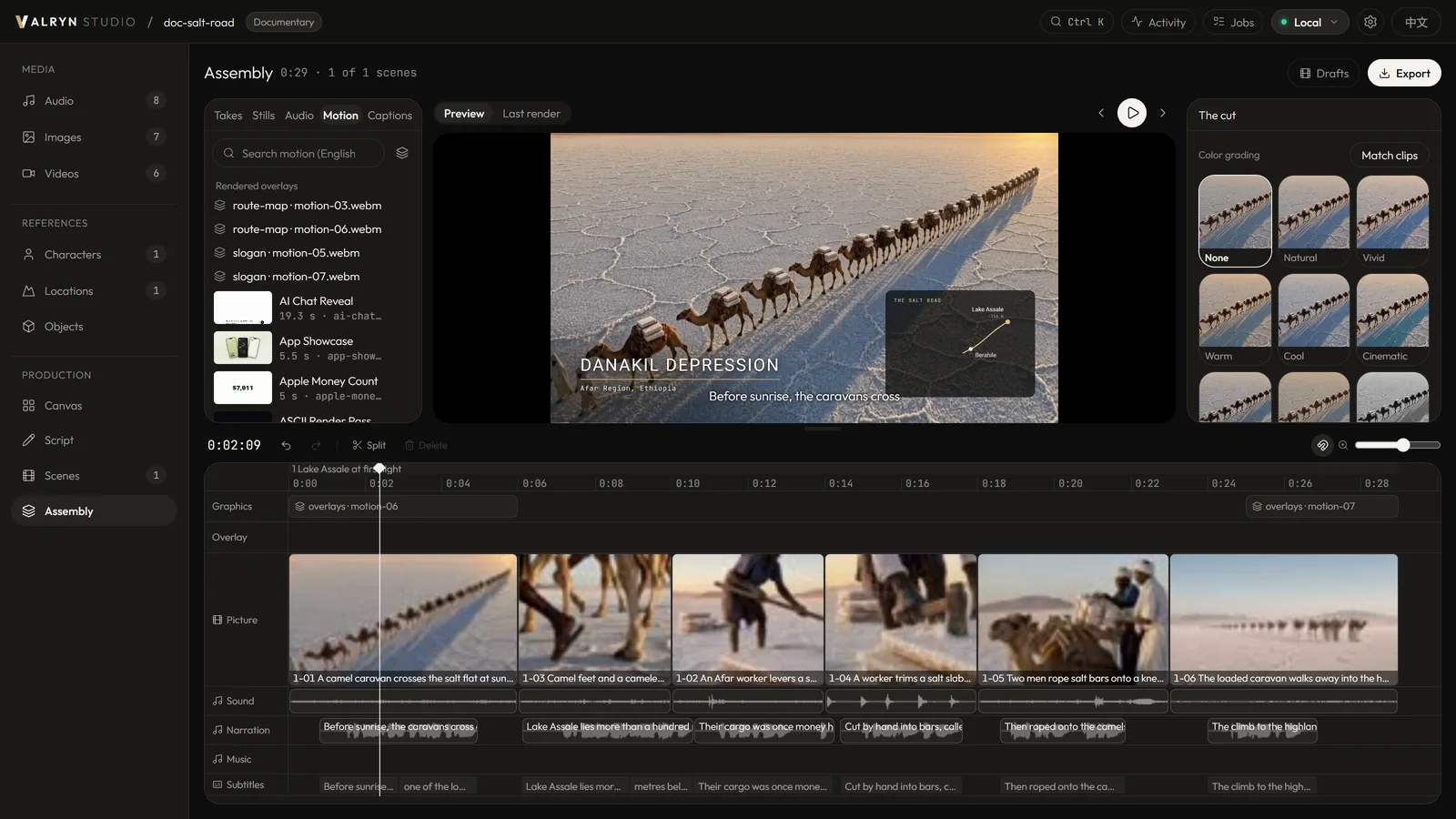
In the AppAssembly › Motion - Rendered on your PC, offline
- Transparent overlays over any shot
- Photos brought to life with slow pushes and pans
- 08
Drafts and Notes
Watch an export, leave a note at a second, and your agent fixes it.
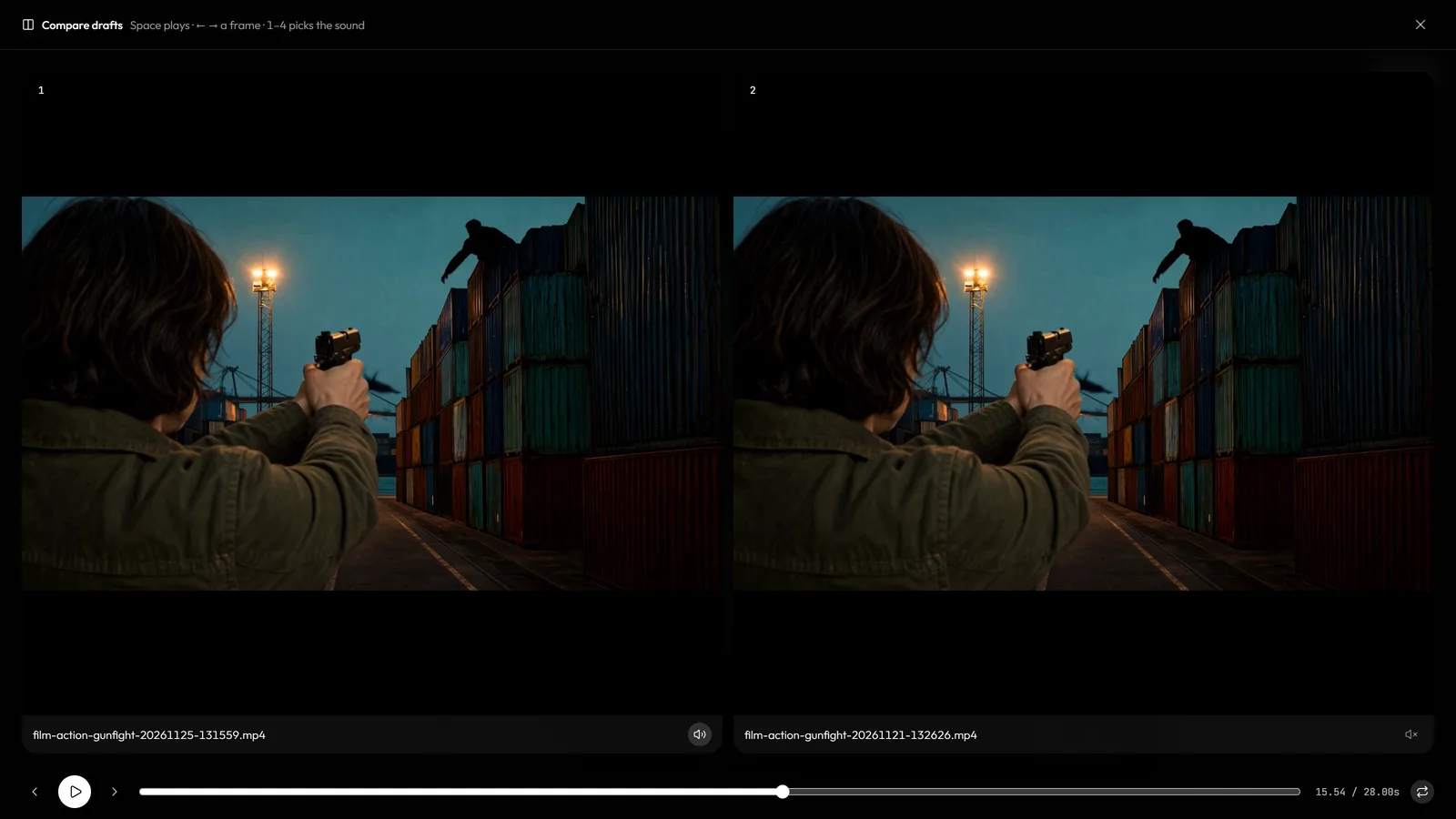
In the AppDrafts › Compare - Up to four drafts side by side
- Click a note to jump to its moment in the current cut
- A review pack and a check for clicks and pops before delivery
- 09
Costs and Your Files
Prices first, and your work stays in plain folders.
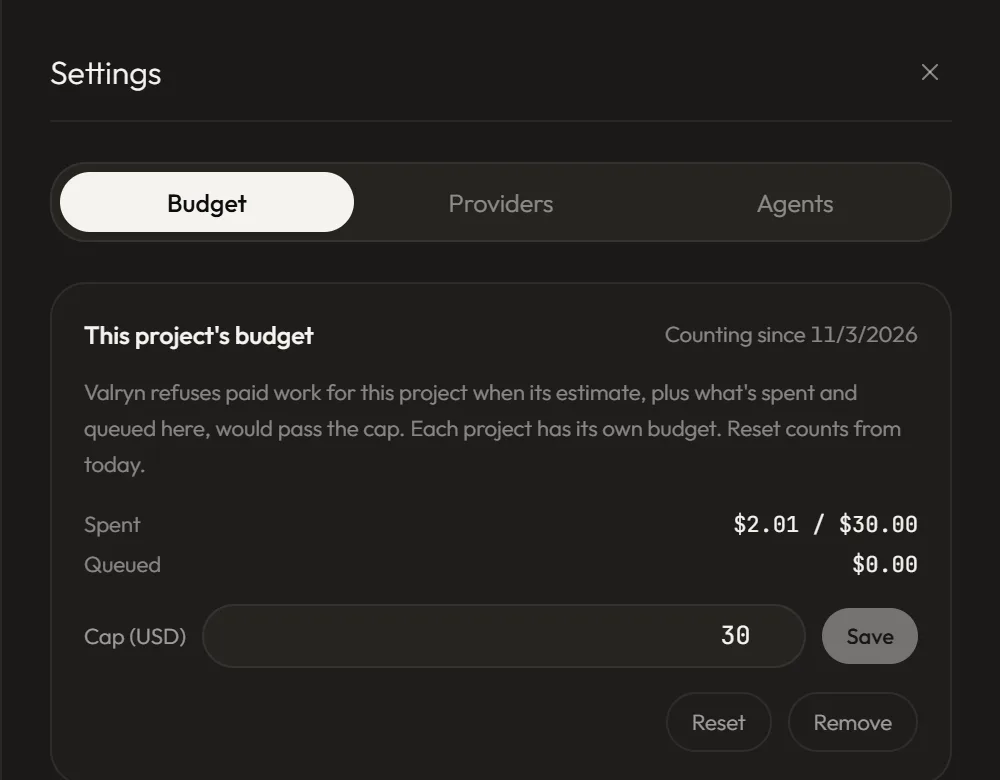
In the AppSettings › Budget - An estimate before every render; a cap per call and a budget per project
- Paid work never retried or bought twice
- Every file keeps its prompt, seed, settings and cost
- Undo for the cut; deleted files go to the Trash
Also in the Box
Color
Eight built-in looks, your own LUTs, full grading controls, and shots matched within a scene. The preview matches the render.
Real Footage and Credits
Import photos and recordings with their source and license, or up to 60 seconds from a public video page. The credits list builds itself from the cut.
Delivery
Up to 4K, stems and subtitle files in one zip, and copies sized for WeChat, WhatsApp, Discord or email.
Made for Agents
Every button is also an API call. Your agent reads the film guide, and every call it makes is logged. Projects live outside the install, and each one tells your agent to leave the app's own files alone.
Your Own Models
Add a workflow or a hosted endpoint as one small file.
English and 中文
The whole interface in both.
Which models do what: Models →